



Accounts Payable Workflow: Steps, Roles, and How to Automate It
.webp)
June 24, 2026
•
9
mins
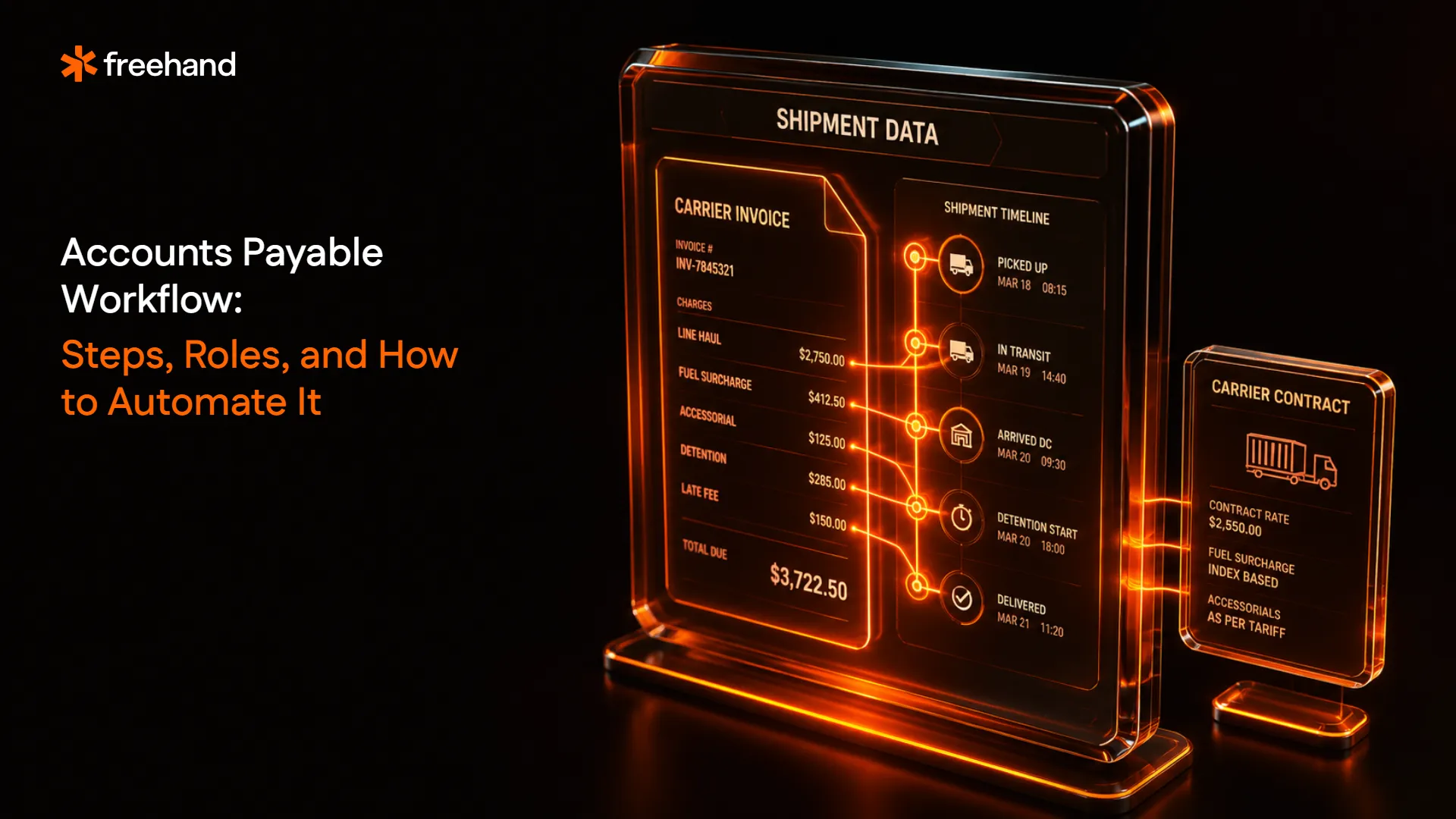
An accounts payable workflow is the structured sequence of steps a business follows from the moment an invoice arrives to the moment payment is made and recorded. It covers invoice capture, validation, approval routing, payment execution, and reconciliation.
When the workflow runs cleanly, suppliers get paid on time, costs stay within contracted terms, and finance has an accurate picture of outstanding liabilities. When it breaks down, invoices are lost, duplicate payments clear, and AP becomes a bottleneck rather than a control.
According to Ardent Partners' 2025 State of ePayables research, the average cost to process a single invoice manually runs $12.88 to $19.83. Best-in-class AP departments using automation bring that figure to $2.78. The gap is almost entirely a workflow problem.
Key Takeaways
- An accounts payable workflow is the end-to-end process a business follows to receive, validate, approve, and pay supplier invoices, from initial receipt through payment execution and ledger reconciliation.
- The workflow runs across seven steps: purchase requisition, purchase order creation, invoice receipt, invoice validation and matching, approval routing, payment execution, and reconciliation.
- Manual AP workflows cost $12.88 to $19.83 per invoice. Automated workflows bring that figure to $2.78. The difference is not headcount. It is process architecture.
- In freight and logistics, the standard AP workflow is structurally insufficient. Carrier invoices require contract-rate validation against TMS shipment data that general AP matching cannot perform.
What Is an Accounts Payable Workflow?
An accounts payable workflow is the formalized sequence of steps that governs how a business receives, validates, approves, and pays invoices from suppliers and vendors, ensuring every payment is authorized, accurate, and recorded before funds are released.
It is the operational infrastructure that converts incoming invoices into controlled, auditable payments.
Without a defined workflow, invoices get paid when someone remembers to pay them, approval authority is informal, and the finance team has no systematic way to catch errors before they clear. Each step, from matching an invoice to a purchase order through obtaining approval from the appropriate authority level, adds a checkpoint that reduces the risk of fraudulent, duplicate, or inaccurate payments reaching settlement.
For most organizations, the AP workflow sits inside the broader accounts payable automation infrastructure. In freight-heavy enterprises, it needs additional layers that standard AP workflows do not include: contract-rate validation, accessorial charge verification, and carrier-specific dispute management.
What Are the Steps in the Accounts Payable Workflow?
The accounts payable workflow runs across seven sequential steps: purchase requisition, purchase order creation, invoice receipt, invoice validation and matching, approval routing, payment execution, and reconciliation. Each step has a distinct owner and a specific control function.
Step 1: Purchase requisition
The workflow begins before an invoice arrives. An employee identifies a need for goods or services and submits a purchase requisition, a formal internal request documenting what is needed, why, and at what estimated cost.
The requisition routes for budget approval before procurement acts on it. This step creates the authorization baseline that every subsequent step references. Without it, there is no documented approval for the spend, and the invoice that arrives later has no authorization trail to validate against.
Step 2: Purchase order creation
Once the requisition is approved, procurement creates a purchase order. The PO records the agreed quantities, unit prices, supplier, delivery expectations, and payment terms. It is sent to the supplier and logged in the ERP as the reference document for the transaction.
The PO number is the link that connects the invoice, the delivery record, and the payment authorization. Invoices that arrive without a matching PO reference are the single most common driver of AP exceptions and the primary structural gap in maverick spending detection.
Step 3: Invoice receipt
The supplier's invoice arrives. The AP team logs it, regardless of the format it arrived in: paper, PDF, EDI, or portal download. Every invoice enters the same workflow regardless of channel.
At scale, this step is where format variability creates the first bottleneck in manual workflows. An AP team processing invoices from 30 suppliers across multiple formats spends disproportionate time on intake logistics before any validation begins.
Step 4: Invoice validation and matching
The invoice is validated against the PO and, for physical goods, the goods receipt note. This is the three-way matching step: quantities, prices, and delivery terms on the invoice must align with the PO and the GRN within configured tolerance thresholds.
For freight and logistics invoices, standard three-way matching is insufficient. Carrier invoices require a fourth validation layer: comparing each charge against the contracted rate for that specific lane, charge type, and billing week. See how three-way matching in accounts payable works and where it breaks down for carrier invoices.
Step 5: Approval routing
Validated invoices route for approval based on predefined authorization rules. The approval hierarchy typically maps to invoice value, department, and vendor type: a $500 invoice from an approved vendor might auto-approve, while a $50,000 invoice from a new vendor requires director-level sign-off.
This step is where manual workflows become bottlenecks at scale. Approval chains that route through email generate delays, missed approvals, and audit gaps. Invoices waiting for manual approval often sit past early payment discount windows, costing the organization the 1 to 2% discount that early payment would have captured.
Step 6: Payment execution
Approved invoices are scheduled and paid according to the agreed payment terms: net-30, net-60, or the specific terms in the supplier contract. Payment method, bank details, and currency are confirmed against the vendor master record before funds move.
This is the highest-risk step for fraud. 79% of organizations experienced attempted or actual payment fraud in 2025. Payment controls at this stage, including dual authorization for large transfers, vendor bank detail change verification, and payment run audit trails, are the final line of defense before money leaves the organization.
Step 7: Reconciliation and recording
After payment, the transaction is recorded in the general ledger, the invoice is marked as paid, and the payment is reconciled against the AP subledger. Open items are cleared, accruals are updated, and the period's AP activity is closed.
Month-end reconciliation quality is directly determined by workflow quality earlier in the process. Invoices that took 30 days to clear validation and approval arrive too late to be booked as actuals, forcing finance to estimate. A workflow that clears invoices in under three days enables real accrual accuracy at month-end.
Worked example: how a workflow failure generates an overpayment
A procurement team orders 400 units of packaging materials at $22 each. PO total: $8,800. The supplier delivers 350 units. The receiving team logs a GRN for 350 units.
The supplier invoices for 400 units at $22: $8,800.
In a manual workflow with no systematic three-way matching, the AP clerk compares the invoice to the PO. Both show 400 units at $22. The invoice matches the PO. Payment is approved.
The GRN showing 350 units was never retrieved. The $1,100 overpayment clears.
In an automated workflow with three-way matching, the system pulls the GRN at step 4. The quantity mismatch is flagged before approval routing begins. The invoice is held, the supplier is notified, and payment is made for $7,700 covering the confirmed delivery only.
{{blue-cta}}
Who Are the Key Roles in an Accounts Payable Workflow?
The AP workflow spans four organizational roles. Each owns a different document and a different control function.
Requestor / budget holder
Initiates the purchase requisition and holds budget authority for the spend category. In organizations without PO-mandatory workflows, this role is the primary source of maverick spending risk when informal purchasing bypasses the requisition process.
Procurement team
Creates the purchase order, confirms supplier details, negotiates terms, and maintains the approved vendor list. Their accuracy at PO creation determines how cleanly invoices match downstream.
A PO with incorrect unit prices, missing line items, or wrong quantities generates exceptions that AP has to resolve by going back to procurement to confirm what was agreed.
Receiving and warehouse team
Generates the goods receipt note at delivery. Their accuracy and timeliness at this step determines whether three-way matching can complete automatically or whether invoices queue waiting for a GRN that hasn't been entered yet.
Receiving teams that batch-enter GRNs weekly rather than at point of delivery are a structural source of hold queues in the AP workflow.
Accounts payable team
Runs the matching process, manages exceptions, routes approvals, schedules payments, and records transactions.
In manual environments, this team is the bottleneck: every invoice passes through AP for manual review regardless of whether it presents any issues. In automated environments, AP reviews only the exceptions the system flags, shifting their work from transactional processing to exception resolution and process governance.
What Is the Difference Between a Manual and Automated AP Workflow?
A manual AP workflow requires human intervention at every step. An automated AP workflow applies rules, AI, and system integrations to handle standard transactions without human review, routing only exceptions and approval decisions to AP staff.
The practical difference in enterprise operations: a manual AP team processing 20,000 invoices per month spends the majority of its time on data entry, document retrieval, and approval chasing. An automated AP team processing the same volume spends most of its time on the 10 to 20% of invoices that require exception resolution, supplier communication, and process improvement. The invoice volume is the same. The work is fundamentally different.
What Are the Most Common Accounts Payable Workflow Challenges?
The AP workflow challenges that generate the most financial exposure are not complex. They are consistent: invoices without PO references, GRNs that arrive after the invoice, approval chains that stall on email, and payment controls that rely on individual vigilance rather than system-enforced rules.
Invoice exceptions at scale
The average invoice exception rate is 22%, meaning roughly one in four invoices requires manual intervention. At 20,000 invoices per month, that is 4,400 exceptions per month requiring individual investigation before payment can proceed. Manual exception management at that scale consumes more AP team capacity than the clean-match processing does.
Missing or late purchase orders
Invoices that arrive without a corresponding PO are structurally unmatched. AP cannot confirm whether the purchase was authorized, at what price, or from which supplier category the spend should be classified. The invoice sits in a hold queue, the supplier chases payment, and AP investigates what was ordered and by whom.
This is partly an AP workflow problem and partly a purchasing discipline problem. The fix requires both: system-enforced PO creation before procurement acts, and exception workflows that route PO-less invoices to the requestor for confirmation rather than to AP for investigation.
Approval bottlenecks
Manual approval routing through email creates delay, missed approvals, and audit gaps simultaneously. An invoice waiting for director approval while the director is traveling sits past its payment terms. The early payment discount window closes. In some cases, the late payment penalty triggers.
84% of finance staff report quicker decisions after deploying digital approval workflows with real-time data. The speed improvement is not incidental. It directly determines whether the organization can systematically capture early payment discounts and avoid late payment penalties.
Duplicate payments
Duplicate invoices arrive when suppliers resubmit after not receiving payment confirmation, when EDI feeds generate duplicate entries, or when invoices come through multiple channels simultaneously. Manual AP catches duplicates when someone recognizes a familiar invoice. Automated duplicate detection catches them through multi-field matching across carrier, invoice number, amount, and transaction date.
Fraud and vendor master manipulation
Payment fraud concentrates at two points in the AP workflow:
- Invoice submission: fake invoices for services not rendered
- Vendor master manipulation: changing a legitimate supplier's bank details before a payment run
Both require controls beyond approvals: invoice-level validation against documented purchase activity, and vendor master change authorization workflows that require verification before bank details can be updated.
What Are the Benefits of Automating the Accounts Payable Workflow?
Automating the AP workflow delivers returns across four dimensions: processing cost reduction, error elimination, fraud prevention, and working capital optimization through faster cycle times and early payment discount capture.
Processing cost reduction
AP teams that leverage automation reduce processing costs by approximately 78% compared with peers, achieving an average ROI of around 200% within the first year. The cost reduction comes from removing human touchpoints on clean invoices: data entry, manual matching, approval routing, and reconciliation all require time in manual workflows that automation eliminates for the 78 to 90% of invoices that are straightforward.
Error elimination
Manual invoice keying has reduced from 85% in 2023 to 60% in 2024 among AP teams with partial automation. The organizations that have moved to full automation report near-zero data entry error rates on clean invoices. Every manual touchpoint is a potential transcription error. Every automated step removes that risk.
Fraud prevention
Automated duplicate detection, real-time anomaly flagging, and enforced approval hierarchies provide fraud controls that manual workflows cannot deliver consistently. Real-time detection catches duplicate invoices on the day they arrive rather than in the next periodic audit.
Working capital optimization
Some vendors offer 1 to 2% discounts for early payment, which the AP workflow can only capture if invoice processing moves fast enough to approve payment before the discount window closes. Automated workflows that process clean invoices in seconds rather than days create the cycle time needed to systematically capture early payment discounts, converting operational efficiency directly into cash savings.
What Are the Best Practices for Accounts Payable Workflow Management?
The best practices for AP workflow management address the same failure modes: invoices entering the workflow without authorization references, approval chains that rely on individual action rather than system routing, and exception management that lacks defined ownership and SLAs.
Enforce PO-mandatory purchasing across all categories
Every invoice that enters AP without a matching PO creates an exception that requires manual investigation. PO-mandatory purchasing, enforced at the system level rather than through policy documents, ensures AP has an authorization baseline for every transaction before the invoice arrives.
For freight, the structural challenge is that carrier invoices do not reference POs in the same way supplier invoices do. The authorization baseline for a carrier invoice is the carrier contract and the shipment record, not a traditional PO. AP workflows in freight-heavy enterprises need a contract-validation layer rather than a PO-matching layer for that invoice category.
Set tolerance thresholds to reduce unnecessary exceptions
Not every price variance warrants a manual hold. Configuring tolerance thresholds by vendor, category, and invoice value allows minor discrepancies to auto-approve while genuine exceptions get routed for review. A 1.5% price variance on a $200 office supply invoice does not warrant the same scrutiny as a 1.5% variance on a $200,000 freight invoice.
Define approval hierarchies in the system, not in email
Approval workflows defined in the AP system rather than in email chains ensure every invoice follows the same routing rules regardless of who is out of office, which department the invoice is for, or how urgently a supplier is following up. System-defined hierarchies also create the audit trail that manual email approval cannot.
Track KPIs by vendor and category, not just in aggregate
An overall exception rate of 15% masks significant variation. A specific carrier with a 40% invoice exception rate is a structural problem requiring supplier relationship intervention. A specific department generating 60% of PO-less invoices is a process education problem. AP KPIs tracked at the vendor and category level convert an aggregate compliance metric into actionable insights for process improvement.
Apply freight-specific validation before payment, not after
For enterprises with significant freight spend, the standard AP workflow needs an additional validation step before payment: freight invoice automation that compares each carrier invoice line against contracted rates, TMS shipment data, and applicable fuel surcharge indices. Standard matching confirms the invoice is formatted correctly. Contract-rate validation confirms the invoice is correctly priced. Both are required before freight payments clear.
How Does Freehand Extend the AP Workflow for Freight and Logistics?
The standard AP workflow was designed for supplier invoices. Carrier invoices fail its assumptions at every step.
There is no PO anchoring a freight invoice. The rate authority is the carrier contract, covering hundreds of lanes, multiple surcharge matrices, and accessorial schedules that change with each amendment. The validation question is not "does this invoice match the PO?" It is "does each charge on this invoice reflect the contracted rate for that lane, charge type, and billing week?"
Standard AP workflows cannot answer that question. They are not connected to carrier contracts. They do not hold TMS shipment data. They cannot confirm whether a residential delivery fee was triggered by an actual residential delivery or whether a detention charge was legitimately earned based on driver event timestamps.
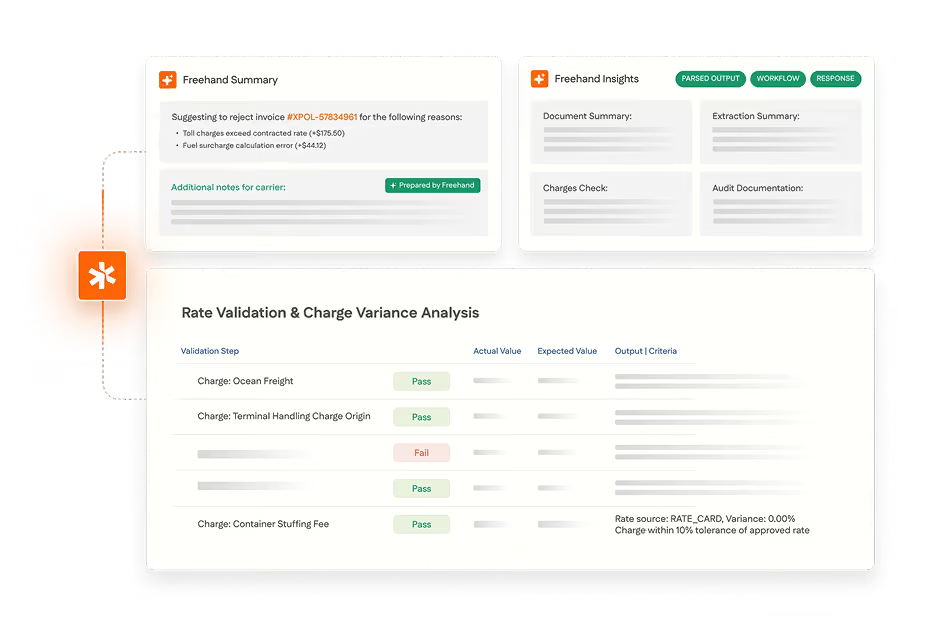
Freehand's freight audit platform adds the contract-rate validation layer that the standard AP workflow cannot provide. It connects carrier contracts, TMS shipment data, and the AP system to run 4-way matching on every carrier invoice before payment clears:
- Contracted rate for the lane, charge type, and billing date
- Fuel surcharge index for the departure week
- TMS shipment confirmation of weights, address classification, and accessorial triggering conditions
- Purchase authorization confirming the shipment was contracted
Validated invoice actuals post back to the ERP with a full audit trace on every reconciled line item. Dispute packets for failed validations are compiled and submitted to carriers autonomously. The AP team reviews outcomes rather than managing exceptions before they move.
For enterprises managing $15M or more in annual freight spend, Freehand recovers 1.5 to 2.5% of freight spend annually through systematic contract-rate enforcement at full invoice coverage. Not through renegotiation. Through enforcing the contracts already in place inside the AP workflow that processes the invoices.
See which platforms handle this workflow end to end in our ranking of the best AP automation software.
{{brown-cta}}
Frequently Asked Questions
What is an accounts payable workflow?
The structured sequence of steps a business follows from invoice receipt through payment and reconciliation. It covers invoice capture, validation against purchase orders and delivery records, approval routing, payment execution, and ledger recording.
What are the steps in the accounts payable process?
Purchase requisition, purchase order creation, invoice receipt, invoice validation and three-way matching, approval routing, payment execution, and reconciliation. Each step has a defined owner and a specific control function.
What is the difference between manual and automated AP workflow?
Manual workflows require human intervention at every step, costing $12.88 to $19.83 per invoice with 10 to 30-minute processing times. Automated workflows handle clean matches in seconds at $2.78 per invoice, routing only exceptions and approvals to AP staff.
What are the most common AP workflow problems?
Missing PO references, late goods receipt notes that block matching, approval bottlenecks in email-based chains, duplicate invoice submissions, and inadequate vendor master controls that expose payment execution to bank detail manipulation.
Why does freight require additional AP workflow steps?
Carrier invoices carry no PO reference and require validation against contracted rates, fuel surcharge indices, and TMS shipment data. Standard three-way matching confirms delivery but cannot validate whether each charge reflects the contracted rate or whether the triggering condition for accessorial charges actually occurred.
Freehand Extends Your AP Workflow to Cover What Freight Actually Bills.
Freehand's AI Teams add the freight-specific validation layer your existing AP workflow is missing, without replacing it.
Your AP Workflow Was Built for Vendor Invoices, Not Carrier Ones.
A carrier invoice carries a fuel surcharge and a variable accessorial list a standard AP workflow was never designed to check.
Every warehouse. Every provider. Every mile.
Gartner's 2026 outlook on logistics outsourcing, and how AI Teams hold every contract to the terms you agreed.
- Where outsourced logistics quietly loses margin
- Why billed charges drift from the contract
- How AI Teams close the gap


.png)